DIGITAL PRODUCTS · BEGINNER IDEAS
10 Digital Products You Can Create in Canva as a Beginner
You do not need a design degree or expensive software to start experimenting with digital products. These ten ideas are small enough to practice with Canva Free—and useful enough to test with real people before thinking about selling.
10 beginner-friendly Canva product ideas
1. Weekly printable planner
Create a one-page US Letter or A4 PDF with seven day sections, three priorities, and a notes area. Keep writing space generous. Test it with a pen after printing. Follow our complete weekly planner tutorial.
2. Daily habit tracker
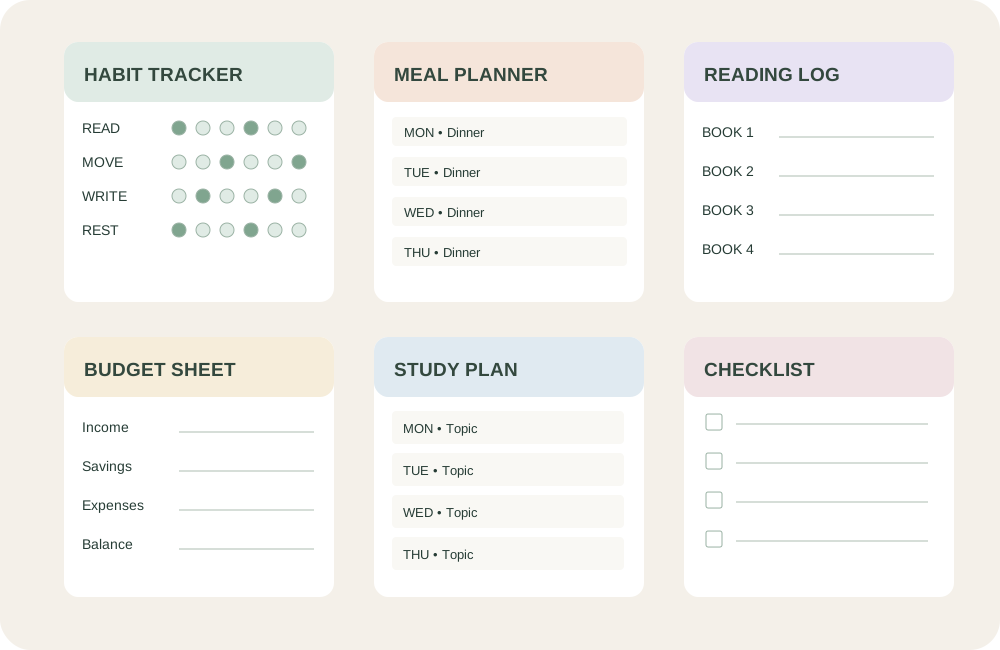
Design a simple 30-day grid for habits such as reading, stretching, or drinking water. Use clear labels and a printer-friendly version that works without color.
3. Meal-planning worksheet
Combine a seven-day menu with a shopping-list column. A busy household needs quick scanning more than decoration; leave room for dietary notes.
4. Reading log
Make a printable for readers to record book title, author, dates, favorite quote, and a short reflection. Offer age-appropriate variations rather than a crowded one-size-fits-all page.
5. Study schedule
Use blocks for subjects, deadlines, and break periods. A student-friendly version should be readable in black and white and easy to update.
6. Simple budget worksheet
Provide areas for planned income, fixed expenses, variable expenses, and a monthly review. Avoid presenting a worksheet as financial advice or promising results.
7. Printable gift tags
Build a matching set of tags with cutting guides and space to write a name. Test margins so home printers do not clip the design.
8. Chore checklist
Create a reusable weekly checklist for a specific age group or household routine. Clear task names and a simple completion box matter more than illustrations.
9. Small-business order tracker
Make a worksheet with order date, item, status, shipping date, and notes. Use fictional sample entries to check that the columns fit realistic information.
10. Event planning checklist
Organize tasks by timeline: one month before, one week before, and event day. A birthday, classroom activity, or small gathering each needs a different version.
How to choose your first product
Start with a problem you understand. A simple reading log for parents who want a screen-free routine is more specific than “a planner for everyone.” Ask: Who will use it? When? What will they do with it? What makes it easier than a blank sheet?
Then build one sample, print it, and ask someone to complete it. Their confusion is useful feedback. Do not spend days creating a collection before testing a single page.
A practical quality checklist
- Readable: body text is comfortable at actual print size.
- Useful: every box and label has a purpose.
- Printer-friendly: margins, page size, and grayscale output work.
- Accessible: instructions do not depend on color alone.
- Original: you made meaningful design choices and checked asset licenses.
- Tested: you opened the exported PDF and printed a sample.
Can you sell products made in Canva?
Potentially, but you must follow Canva’s current content licensing rules and any rules of the marketplace where you sell. Using Canva does not automatically grant the right to resell an unmodified template, graphic, or stock element as a standalone product. Review the Canva Content License Agreement before publishing commercial products. This guide is educational, not legal advice.
Frequently asked questions
Do I need Canva Pro?
No. You can practice these projects using Canva Free features. Some elements and templates are paid; choose free alternatives if you do not have Pro.
Which file format should I export?
For a printable worksheet, start with PDF Print. For digital-only graphics, PNG may be appropriate. Always check the actual exported file.
Which product should I create first?
A one-page weekly planner is a practical starting point because it is easy to print, test, and improve. Use our step-by-step Canva planner guide.
Disclosure: This article currently contains no affiliate links. If we add them later, we will label them clearly. See our affiliate disclosure.